Maintain the health and reliability of your Solr deployment with active monitoring and alerting. SearchStax gives you all the visibility you need to ensure the health of your Solr deployments. Detect potential issues and failures before they can cause significant problems or outages.
Improve Solr health with early detection of potential Solr issues
Effective monitoring and alerting brings multiple benefits:
Better Performance
Monitoring and alerting ensures that Solr is always performing optimally
Higher Availability
Monitoring and alerting that Solr is always available and accessible in high-traffic, mission-critical applications
Efficient Capacity Planning
Monitoring and alerting can help administrators identify when the system is nearing capacity and take action to add additional resources
Increased Security
Monitoring and alerting can help detect and respond to security threats
Keep an eye on Solr performance with
real-time and historical graphs
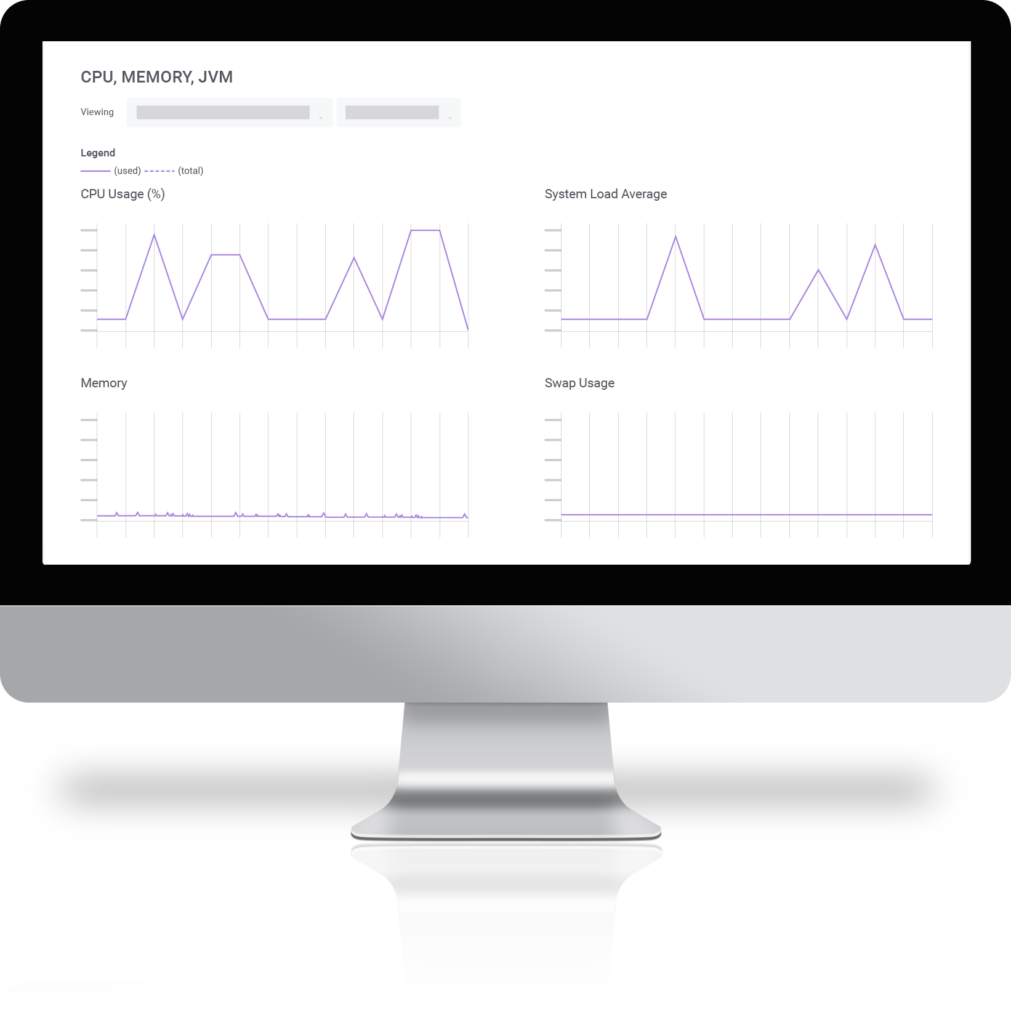
SearchStax Managed Search provides real-time and historical statistical graphs of critical Solr server and Java Virtual Machine (JVM) metrics and statistics.
Cloud has collection level monitoring designed to display the health of replicas across servers.
These statistics provide a birds-eye view of Solr cluster health, enabling you to understand the health of your systems.
Automate notifications and integrate with
your existing tools to consolidate monitoring
Get notified whenever Solr performance metrics exceed pre-set parameters
Threshold alerts watch a specific system metric and sends your team an email when the metric meets or exceeds some value.
SearchStax has an extensive list of threshold metrics covering these categories:
CPU, Disk, Memory, JVM
Solr Throughput and Latency
Cache Utilizations
Garbage Collection
Check out what’s going on with Solr performance in the SearchStax Managed Search Dashboard
You’ll always be able to know what’s going on with your Solr deployment because you can easily view historical incident reports in your SearchStax Managed Search dashboard.
Simply navigate to the affected deployment to view the list of heartbeat alerts or threshold incidents.
Get additional information on Monitoring
and Alerting with Searchstax Managed Search
See our top 5 recommendations to optimize Solr search performance
Frequently Asked Questions About Solr Monitoring and Alerting
Why is monitoring and alerting important to Solr health?
Performance: Monitoring and alerting can help ensure that Solr is performing optimally. By tracking metrics such as response time, query throughput, and indexing speed, administrators can identify performance bottlenecks and take action to optimize the system.
Availability: Solr is often used in high-traffic, mission-critical applications. Monitoring and alerting can help ensure that Solr is always available and accessible to users. By monitoring metrics such as uptime, network latency, and request errors, administrators can quickly identify and resolve any issues that may be impacting availability.
Capacity Planning: Monitoring and alerting can help administrators plan for future growth and capacity requirements. By tracking metrics such as index size, query volume, and storage utilization, administrators can identify when the system is nearing capacity and take action to add additional resources or optimize the system.
Security: Monitoring and alerting can help detect and respond to security threats. By tracking metrics such as login attempts, authentication failures, and unusual user activity, administrators can quickly identify potential security breaches and take action to mitigate the risk.
How long does SearchStax retain Solr monitoring data?
The retention period for Solr monitoring data for SearchStax Managed Search varies depending on the Support Plan. See the Managed Search Pricing Details for more information
 Optimizely